Everybody's begging for Google+ invites at the moment. If you're not in yet mail me your mail address...
For all the others who already joined this "exclusive" club, here's how you can invite your friends:
Thank you Thomas R. for inviting me and showing me how to invite friends!
Update: Get your invite here.
Thursday, June 30, 2011
Wednesday, June 29, 2011
Tweaking Ubuntu
What do GRUB, Nvidia, GDM, Brightness and SSDs have in common? You need to know some tweaks to make them work as you'd expect them to.
 I'm an Ubuntu user since, erm... Ubuntu 8.04? I don't know. However, I wasted hours and days installing, wiping, installing, wiping, installing again and tweaking it. From now on I'll try to post all the tweaks I come across here on my shiny new blog. Read on...
So, the first tweak isn't really to be considered as a tweak. In fact it's a good prevention from being fooled by your coworkers.
Disabling accessibility in GDM
You ask why the hell one would want to disable such a great and useful feature? Well, take my laptop, lock its screen (CTRL + ALT + L, by the way) and hand it over to some of my best friends. As a result you get an unusable laptop back because enabling all the accessibility features at once and moving the virtual keyboard around makes it impossible to log in again (I think it was due to a faulty graphics driver).
Enough thrilling story. Here's how you can disable accessibility in GDM:
Ugly boot screen after enabling Nvidia drivers
Without any further blabla:
The script will ask you for the resolution to set. Use your current screen resolution if it shows up in the list the script spits out. Otherwise use a resolution smaller yours. Also, the higher the bits (8, 16, 24) the better.
If you don't know what resolution to use open nvidia-settings, click "X Server Display Configuration" and look at the list at "Resolution".
Next...
Adjust your display's brightness automatically
To do that we need to install a tool called redshift:
Either manually start it using something like redshift -l 48:16 (where "-l X:X" stands for your current position's latitude and longtitude) or add it to your startup applications.
"Unlock your keyring" a thousand times
Onebug "feature" I've been suffering for a long, long time: You need to keep all your passwords within one (1!) keyring, or Ubuntu will bug you with a thousand password dialogs after every single login again and again... and again.
Non-sliding background with Compiz
So, the first tweak isn't really to be considered as a tweak. In fact it's a good prevention from being fooled by your coworkers.
Disabling accessibility in GDM
You ask why the hell one would want to disable such a great and useful feature? Well, take my laptop, lock its screen (CTRL + ALT + L, by the way) and hand it over to some of my best friends. As a result you get an unusable laptop back because enabling all the accessibility features at once and moving the virtual keyboard around makes it impossible to log in again (I think it was due to a faulty graphics driver).
Enough thrilling story. Here's how you can disable accessibility in GDM:
sudo gedit /var/lib/gdm/.gconf.mandatory/%gconf-tree.xmlNow search for "accessibility" and set "enable" to "false". It should look like this afterwards:
<dir name="accessibility">
<dir name="keyboard">
<entry name="enable" mtime="1306265153" type="bool" value="false">
</dir>
</dir>
Done. Enjoy your unhackable GDM.
Ugly boot screen after enabling Nvidia drivers
Without any further blabla:
wget http://launchpadlibrarian.net/57638460/fixplymouthchmod +x fixplymouth./fixplymouth
If you don't know what resolution to use open nvidia-settings, click "X Server Display Configuration" and look at the list at "Resolution".
Next...
Adjust your display's brightness automatically
To do that we need to install a tool called redshift:
sudo add-apt-repository ppa:jonls/redshift-ppa
sudo apt-get update &amp;amp;&amp;amp; sudo apt-get install redshift
"Unlock your keyring" a thousand times
One
 |
| This is what your "Passwords and Encryption Keys" screen should look like |
Non-sliding background with Compiz
You're annoyed of your background sliding around when you're switching workspace? Install Compiz configuration manager (sudo apt-get install compizconfig-settings-manager), open it (ccsm), find a plugin called "Desktop Wall" and copy "type=Desktop" into the "Non sliding windows" field in the "Viewport Switching" tab. That's it.
Get lifetime and performance out of your SSD
Congratulations! You did the only correct thing and bought yourself a SSD. Booting up should take only a few seconds now (really!).
At first, do a backup (really, I almost crashed my laptop because I did one little mistake):
Now open fstab (sudo gedit /etc/fstab) and find the line that's responsible for mounting your root ("/"). It should look like this:
Add "discard,noatime,nodiratime," in front of "errors=remount-ro,user_xattr 0 1" like this:
Next step is to edit /etc/rc.local (sudo gedit /etc/rc.local). Add the following text before "exit 0":
Speed it up no matter if you run a HDD or SSD
Open your /etc/fstab again (sudo gedit /etc/fstab) and append the following line:
If you want some more detailed instructions or you want to know what you're actually tweaking visit the-engine.at or How To Geek.
PS: Don't forget to reboot your machine now. ;)
Further reading...
Get lifetime and performance out of your SSD
Congratulations! You did the only correct thing and bought yourself a SSD. Booting up should take only a few seconds now (really!).
At first, do a backup (really, I almost crashed my laptop because I did one little mistake):
sudo cp /etc/fstab /etc/fstab.bak
Now open fstab (sudo gedit /etc/fstab) and find the line that's responsible for mounting your root ("/"). It should look like this:
UUID=b0620914-3943-4cdd-bcf8-00909575c43c / ext4 errors=remount-ro,user_xattr 0 1
Add "discard,noatime,nodiratime," in front of "errors=remount-ro,user_xattr 0 1" like this:
UUID=b0620914-3943-4cdd-bcf8-00909575c43c / ext4 discard,noatime,nodiratime,errors=remount-ro,user_xattr 0 1
Next step is to edit /etc/rc.local (sudo gedit /etc/rc.local). Add the following text before "exit 0":
echo deadline > /sys/block/sda/queue/scheduler
echo 1 > /sys/block/sda/queue/iosched/fifo_batch
Speed it up no matter if you run a HDD or SSD
Open your /etc/fstab again (sudo gedit /etc/fstab) and append the following line:
tmpfs /tmp tmpfs defaults,noatime,mode=1777 0 0
If you want some more detailed instructions or you want to know what you're actually tweaking visit the-engine.at or How To Geek.
PS: Don't forget to reboot your machine now. ;)
Further reading...
- AskUbuntu - Disable Accessibility in login screen
- AskUbuntu - Unlock keyring prompts three times instead of one time
- Wed Upd8 - Script to fix Ubuntu Plymouth for proprietary Nvidia and ATI graphics drivers
- AskUbuntu - Enabling Nvidia driver messes up splash screen
- OMG! Ubuntu - Alleviate tired eyes in Ubuntu with Redshift
- the-engine.at - Ubuntu 11.04 für SSD anpassen (German) / English
- How To Geek - How to Tweak Your SSD in Ubuntu for Better Performance
- Launchpad - Can't play video using any player
Tuesday, June 28, 2011
Mission "Drop Dropbox"
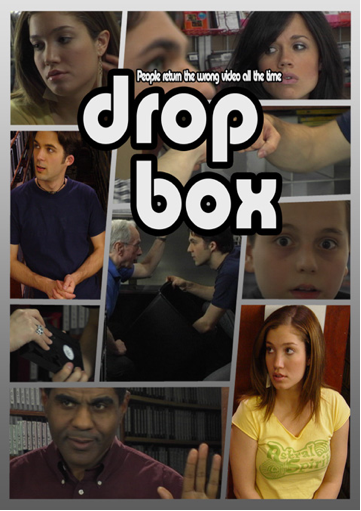
Soon after that articles popped up telling you how to build your own Dropbox or what services to use instead.
I'm not going this way. Instead, I'm saving my files to various locations and services - contextual, where I need them.
Behind the scenes of Google+
Today's a great day for those of you who feel comfortable with Google's moral and strategy, because they launched two hopefully soon to be killer products. The first is a Flash to HTML5 converter called Swiffy, aimed at converting ads for now.

The other product (actually they call it a "project") is Google+. Simple name, exciting project. I would call it a Facebook-killer, but I won't do so until everybody's doing so too. You can read more about it at TechCrunch, Mashable and Google itself. It's obvious goal is for sure to make Google and its products social. Also, Google would take a deep breath if it could beat Facebook. ;)
However, the real goal of Google+, as I see it, is to help Google deal with the incoming zettabytes of data yearly. How? If you +1'd something, it's very likely to be relevant content. For example it's very likely you +1 a brand, something you bought, or an article you read, but you won't +1 content farms, do you? So everything that got +1 before is a lot more likely to be what you're searching for, than something nobody +1'd before.
Now to the real story: What's behind the scenes of Google+? Well, I don't know what powers Google+. Sorry. Unfortunately I'm not a Google employee (yet?), but I'll try to change that after graduating from university in a few years.
Here's what I hope powers Google+...
Further reading...

The other product (actually they call it a "project") is Google+. Simple name, exciting project. I would call it a Facebook-killer, but I won't do so until everybody's doing so too. You can read more about it at TechCrunch, Mashable and Google itself. It's obvious goal is for sure to make Google and its products social. Also, Google would take a deep breath if it could beat Facebook. ;)
However, the real goal of Google+, as I see it, is to help Google deal with the incoming zettabytes of data yearly. How? If you +1'd something, it's very likely to be relevant content. For example it's very likely you +1 a brand, something you bought, or an article you read, but you won't +1 content farms, do you? So everything that got +1 before is a lot more likely to be what you're searching for, than something nobody +1'd before.
Now to the real story: What's behind the scenes of Google+? Well, I don't know what powers Google+. Sorry. Unfortunately I'm not a Google employee (yet?), but I'll try to change that after graduating from university in a few years.
Here's what I hope powers Google+...
- Huddle - Google Talk (or Google's "Disco"?)
- Hangout - Google Talk
- Circles - Google Contacts
- Sparks - +1-button
- Photo upload + editing - Picasa + Picnik
- Stream - TechCrunch told us it's not Buzz
Further reading...
Tuesday, June 21, 2011
Only black frames when playing videos in Ubuntu

As you can see in the screenshot, thumbnails display just fine, but playing the video doesn't work at all.
All you need to do to fix it is starting gstreamer-properties and changing the plugin for "Default Output" to "X Window System (No Xv)".

Further reading...
Monday, June 20, 2011
You got rick roll'd by YouTube. Wait, what!?
You may be aware of YouTube's HTML5 initiative. No? Sign up now and come back again afterwards.
... Done? Great! Welcome to the future. I now have a little easter egg to share with you.
After listening to "I'm gonna be (500 miles)" by The Proclaimers I noticed something exciting:
Save. Video. As? Trash your crappy ad-filled third-party YouTube downloaders! Looks like we'll finally be able to download videos from YouTube directly!
Oh, wait. There's a catch. Watch the video...
Well played, YouTube. Well played. ;)
Oh, and by the way: I would walk 500 miles and I would walk 500 more. It's the beat of man who walks a 1000 miles...
... Done? Great! Welcome to the future. I now have a little easter egg to share with you.
After listening to "I'm gonna be (500 miles)" by The Proclaimers I noticed something exciting:
 |
| Download YouTube videos easily? |
Save. Video. As? Trash your crappy ad-filled third-party YouTube downloaders! Looks like we'll finally be able to download videos from YouTube directly!
Oh, wait. There's a catch. Watch the video...
Well played, YouTube. Well played. ;)
Oh, and by the way: I would walk 500 miles and I would walk 500 more. It's the beat of man who walks a 1000 miles...
Wednesday, June 15, 2011
Plants vs. Roofs
 |
| Taken from city.fukuoka.lg.jp |
I came across this building while doing some research for a blog post about an idea that won't get out of my head: Why don't we plant plants on our house's roofs? It looks amazing (simply google for "green roofs" if the ACROS Fukuoka didn't convince you) and as you might remember from Al Gore's "An Inconvenient Truth" and the like: plants eat those bad little gases, spit good things out instead.
 |
| Taken from hurstwic.org |
So, again, my question is why don't we plant plants on our house's roofs? In Iceland for example it's a tradition to build so called "sod roofs".
Further reading
- http://en.wikipedia.org/wiki/Green_roof
- http://en.wikipedia.org/wiki/Sod_roof
- http://www.lid-stormwater.net/greenroofs_home.htm
- http://oursurprisingworld.com/acros-fukuoka-the-serene-green-roof-of-japan/
- http://de.mustknowhow.com/index.php/dachdecken/energieeffiziente-dachmaterialien
Further looking
- http://www.syncronos.com/blog/wp-content/uploads/2008/12/nanyang_technological_university_school_of_art_design_and_media_singapore_low.jpg
- http://www.google.com/search?q=green+roof&hl=de&safe=off&qscrl=1&biw=1366&bih=682&tbas=0&tbs=ic:specific,isc:green,itp:photo&tbm=isch&prmd=ivnsb&tbas=0&source=lnt&sa=X&ei=F6v4TdnyJZGHswbxkbCACQ&ved=0CAsQpwUoAA

Tuesday, June 14, 2011
BroadcastReceiver
As I'm moving from my old blog to blogger.com I'm re-posting some of the most interesting posts. See the original post at Blogger here.
This post caught a lot of visitors from Google searching for things like "android broadcast receiver tutorial" and the like. It's a pretty stupid and useless example, so I'll try to come up with a new one soon.
Here's the original post:
Let's start with my first code-tutorial. It's about BroadcastReceivers:
You can find an example in the SayMyName sourcecode.
It's not very hard to code: implement the method "onReceive()" and do what you want to do, when you receive an broadcast.
To make this work right, you have to modify your AndroidManifest.xml:
Write between the application-tag something like:
"android:name" sets the class, which is your broadcastreceiver.
With the "intent-filter"-tag you can control which broadcasts will get forwarded to your receiver.
With this example, your receiver gets the broadcasts "BOOT_COMPLETED" (which needs an additional in the AndroidManifest.xml) and "USER_PRESENT" (which gets sent when you unlock your phone by pressing the Menu-key).
A very tiny list of available broadcasts can be found in the Android API (search for "Standard Broadcast Actions")
That's it! :)
This post caught a lot of visitors from Google searching for things like "android broadcast receiver tutorial" and the like. It's a pretty stupid and useless example, so I'll try to come up with a new one soon.
Here's the original post:
Let's start with my first code-tutorial. It's about BroadcastReceivers:
You can find an example in the SayMyName sourcecode.
It's not very hard to code: implement the method "onReceive()" and do what you want to do, when you receive an broadcast.
To make this work right, you have to modify your AndroidManifest.xml:
Write between the application-tag something like:
"android:name" sets the class, which is your broadcastreceiver.
With the "intent-filter"-tag you can control which broadcasts will get forwarded to your receiver.
With this example, your receiver gets the broadcasts "BOOT_COMPLETED" (which needs an additional in the AndroidManifest.xml) and "USER_PRESENT" (which gets sent when you unlock your phone by pressing the Menu-key).
A very tiny list of available broadcasts can be found in the Android API (search for "Standard Broadcast Actions")
That's it! :)
My Experiences with Ads vs. Donations so far...
As I'm moving from my old blog to blogger.com I'm re-posting some of the most interesting posts. See the original post in Google Cache here.
After six months I'm still convinced that donations are much more profitable than ads (if we're talking about "background apps" like SayMyName and Announcify).
Here's the original post:
Hello again,
Wow. Till now, I was very confident that ads brought me more money than donations. Looks like we have some really great users out there! :)
Please keep in mind that SayMyName is an app you only open if you want to change its settings. I would expect a lot more revenue from apps like games, Twitter clients, news readers or OpenOffice Document Readers. ;)
Maybe revenue from ads looks like more, because you constantly earn money every day (1-2$ in this case).
Considering what we just found out, I think you won't see ads in the next big upcoming update for SayMyName.
I hope this encourages some developers (like you!) to develop great apps! :)
After six months I'm still convinced that donations are much more profitable than ads (if we're talking about "background apps" like SayMyName and Announcify).
Here's the original post:
Hello again,
At the moment I'm trying to find the best business model for our upcoming apps. I want to share our statistics with you now...
Before I can tell you about my experiences so far, you need to know some facts: SayMyName launched on 16. August, 2009 (at least Facebook told me so), went down a really long and rocky road, launched a 2$ donate version in November 2009 and finally added AdMob ads less than a month ago.
After more than one year and three (!) different versions on Android Market, SayMyName got downloaded 189746 times and has 52212 users (27%) who are still using it.
So, let's look at what I earned so far:
Before I can tell you about my experiences so far, you need to know some facts: SayMyName launched on 16. August, 2009 (at least Facebook told me so), went down a really long and rocky road, launched a 2$ donate version in November 2009 and finally added AdMob ads less than a month ago.
After more than one year and three (!) different versions on Android Market, SayMyName got downloaded 189746 times and has 52212 users (27%) who are still using it.
So, let's look at what I earned so far:
| AdMob (after one month) | Donations (after one year) |
|---|---|
| 40 $ | 439 donations = 878 $ |
approximately 40 $ a month
| approximately 73 $ a month |
Wow. Till now, I was very confident that ads brought me more money than donations. Looks like we have some really great users out there! :)
Please keep in mind that SayMyName is an app you only open if you want to change its settings. I would expect a lot more revenue from apps like games, Twitter clients, news readers or OpenOffice Document Readers. ;)
Maybe revenue from ads looks like more, because you constantly earn money every day (1-2$ in this case).
Considering what we just found out, I think you won't see ads in the next big upcoming update for SayMyName.
I hope this encourages some developers (like you!) to develop great apps! :)
Saturday, June 11, 2011
We're moving...
tomtasche.at ran a self-built CMS from tomweb.at. It worked, but I didn't feel very comfortable writing posts.
Originally we planned to migrate to Wordpress, after we fell in love with it at announcify.com. However, now I think I feel most comfortable with Blogger. The new UI is beautiful (!).
Stay tuned.
PS: Yep, I did write this post to test the blog. All you read so far was nonsense and blabla.
Originally we planned to migrate to Wordpress, after we fell in love with it at announcify.com. However, now I think I feel most comfortable with Blogger. The new UI is beautiful (!).
Stay tuned.
PS: Yep, I did write this post to test the blog. All you read so far was nonsense and blabla.
Subscribe to:
Posts (Atom)